
Symbols and Instances - Animating
Symbols
| You're now ready to add some animation to your symbols. |
| Step 1 - Click on the Background Layer - unlock it for the time being. Add a keyframe for the Background at frame 60. Now lock the Background again. | |
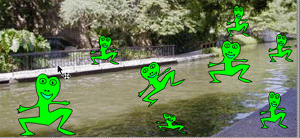
| Step 2 - Single click on one of your frogs - make sure that you've only selected one of the frogs! Add a Keyframe on the Timeline and move (or transform your frog. Select another frog and move it on the same Keyframe. |
|
Step 3 - Continue to do this until you've added numerous keyframes and movements. Preview your movie. Click here to see my animated movie of Frogs on the San Antonio River! |
 |
Continue to Experiment and have fun! Save this movie because you will need it again in the Tweening Tutorials |
Home
Page | Dreamweaver/Fireworks Introduction
| Flash Interface | Flash
Tools | Animation | Tweening
| Symbols/Instances | Buttons
| Sounds
Graphic
Symbols | Symbol Instances |
Editing Symbols | Editing
Instances | Animating Symbols