
Symbols and Instances - Editing Symbols
Step 1 - In the Library, click on your Frog. In the Tools pick up the Ink bottle and change the color of the Stroke.
Click back on the Frog and Undo the changes. |
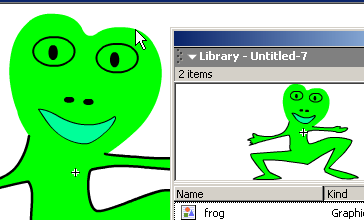 |
Step - 2 Click back on the Scene and double click on one of the Frog instances on the Stage. Notice how all the other objects on the Stage have been dimmed? This allows you to see which instance you're editing. Click Edit > Edit in Place and change the color of the Frog's fill... again notice how all the Frogs have changed. |
 |
 Click
on Scene 1 to view the Stage again. Notice how you've now changed
all your Frogs? This is an easy way to make changes.
Click
on Scene 1 to view the Stage again. Notice how you've now changed
all your Frogs? This is an easy way to make changes.
Home
Page | Dreamweaver/Fireworks Introduction
| Flash Interface | Flash
Tools | Animation | Tweening
| Symbols/Instances | Buttons
| Sounds
Graphic
Symbols | Symbol Instances |
Editing Symbols | Editing
Instances | Animating Symbols