
Tweening- Motion Editing Multiple Frames
| In this exercise you will learn how to move all the frames in one layer to a difference location on the background. |
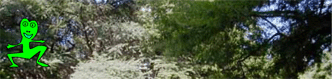
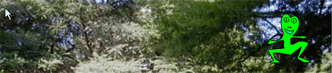
Step 1 - Start a new movie by placing the River picture on the background. Lock this layer. Create a new layer and place a frog in the trees. Add a Keyframe at frame 40. Add a keyframe at frame 40 for your background as well. Move the frog from the left of the screen to the right of the screen at keyframe 40. Click on frame 20 and add a motion tween with a rotation of 1. Play this movie |
  |
Step 2 - Why is the frog dancing in the trees? Shouldn't he be in the water? Let's move him! Click on the Edit Multiple Frames (A) You will see a bar appear on the top of the Timeline (B) Drag the bar until it covers all the keyframes you wish to edit. (C) |
A 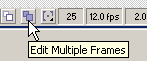 B  C 
|
| Step 3 - Click on your frog layer to select it |  |
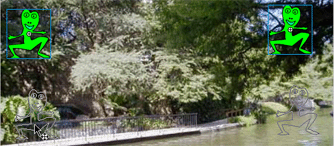
Step 4 - Click on one of the frogs and move it to the water. Notice how both of them now move? Turn off the Edit Multiple Frames function once you have moved your frogs. Play your movie. Continue to experiment. |
 |
Home
Page | Dreamweaver/Fireworks Introduction
| Flash Interface | Flash
Tools | Animation | Tweening
| Symbols/Instances | Buttons
| Sounds
Shape Text | Shape
Hinting | Shape Multiples | Shape
Gradients | Motion Basic | Motion
Effects | Motion Multiples | Motion
Guide | Motion Text